Kanso - Minimal
貯めない、写真アプリ。A photo app that keeps nothing.
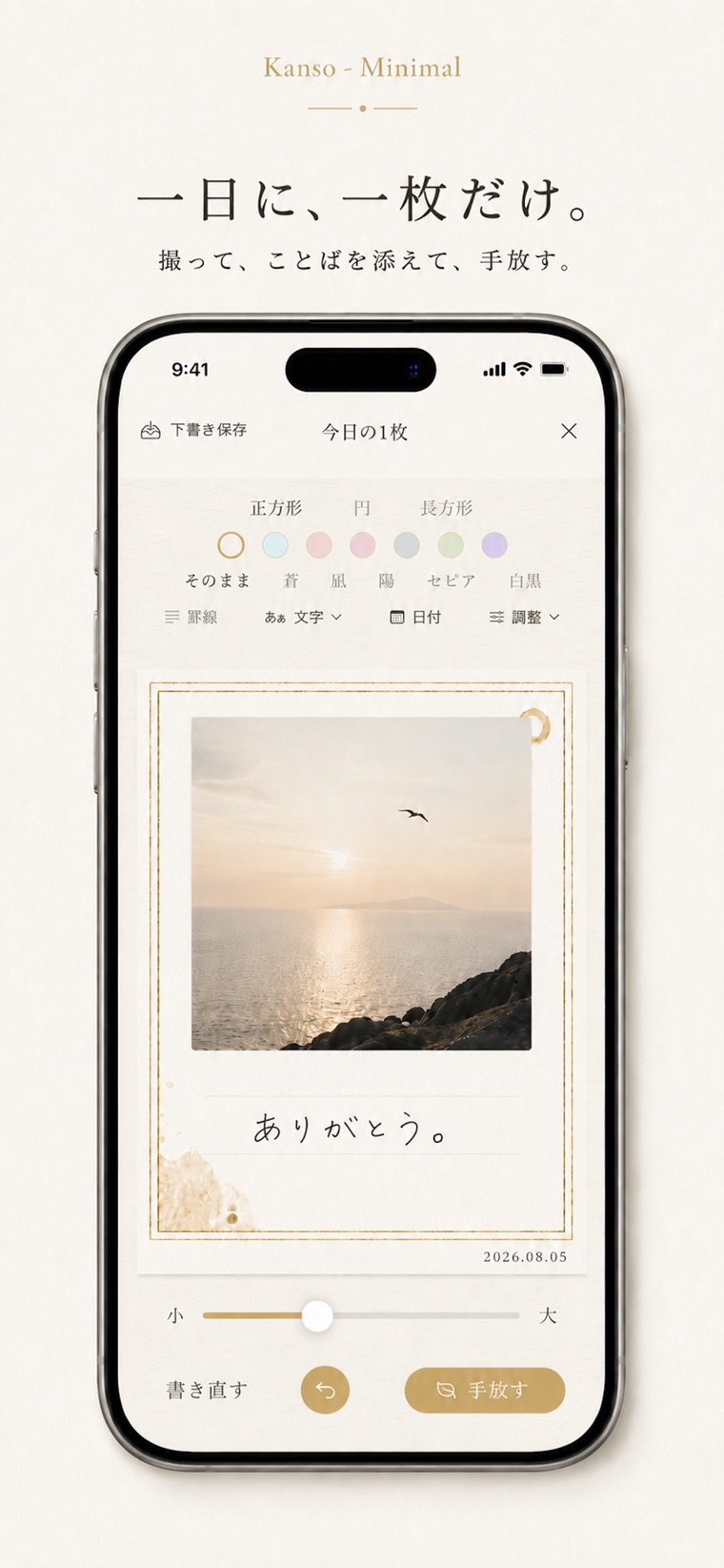
一日に一枚だけ。和紙のカードに仕立てて、
ひとこと添えて、手放す。Just one photo a day. Set it on a washi card,
add a few words, and let it go.
はじめにThe idea
写真を貯めるためではなく、
今日という一日を、
静かに置いていくためのアプリです。Not an app for collecting photos,
but one for setting today down,
quietly.
作ったカードは、あなたが選ばない限りどこにも残りません。手放したカードは風に乗って消え、画面には余白だけが残ります。Unless you choose to keep it, the card you make is left nowhere. The one you let go drifts off on the wind, and only empty space remains on the screen.
全体像The whole flow
一日の流れA day, from start to finish
-
01
えらぶChoose
その日の一枚を撮る、または写真から選びます。Take today's photo, or pick one from your library.
-
02
仕立てるCompose
窓の形、紙の色、写真の色調を選びます。Pick the window shape, the paper color, and the tone of the photo.
-
03
ことばを添えるAdd a word
キーボードでも、指や Apple Pencil の手書きでも。With the keyboard, or by hand with a finger or Apple Pencil.
-
04
手放すLet go
和紙がふわりと流れて消え、余白だけが残ります。The washi lifts, drifts away, and only empty space remains.
写真・紙・色Photo, paper, color
一枚を、和紙に仕立てる。Set one photo on washi.
窓の形は正方形・円・長方形の三つ。紙の色と写真の色調を選べば、それだけで一枚の佇まいが決まります。写真をタップするだけで形が移り変わる近道もあります。Three window shapes: Square, Circle, and Rectangle. Choose the paper color and the tone of the photo, and the character of the card is already settled. Tapping the photo cycles through the shapes, as a shortcut.
- 正方形/円/長方形Square / Circle / Rectangle
- 紙の色 6種6 paper colors
- そのまま/蒼/凪/陽/セピア/白黒Original / Blue / Calm / Sun / Sepia / B&W
指と筆でBy finger and brush
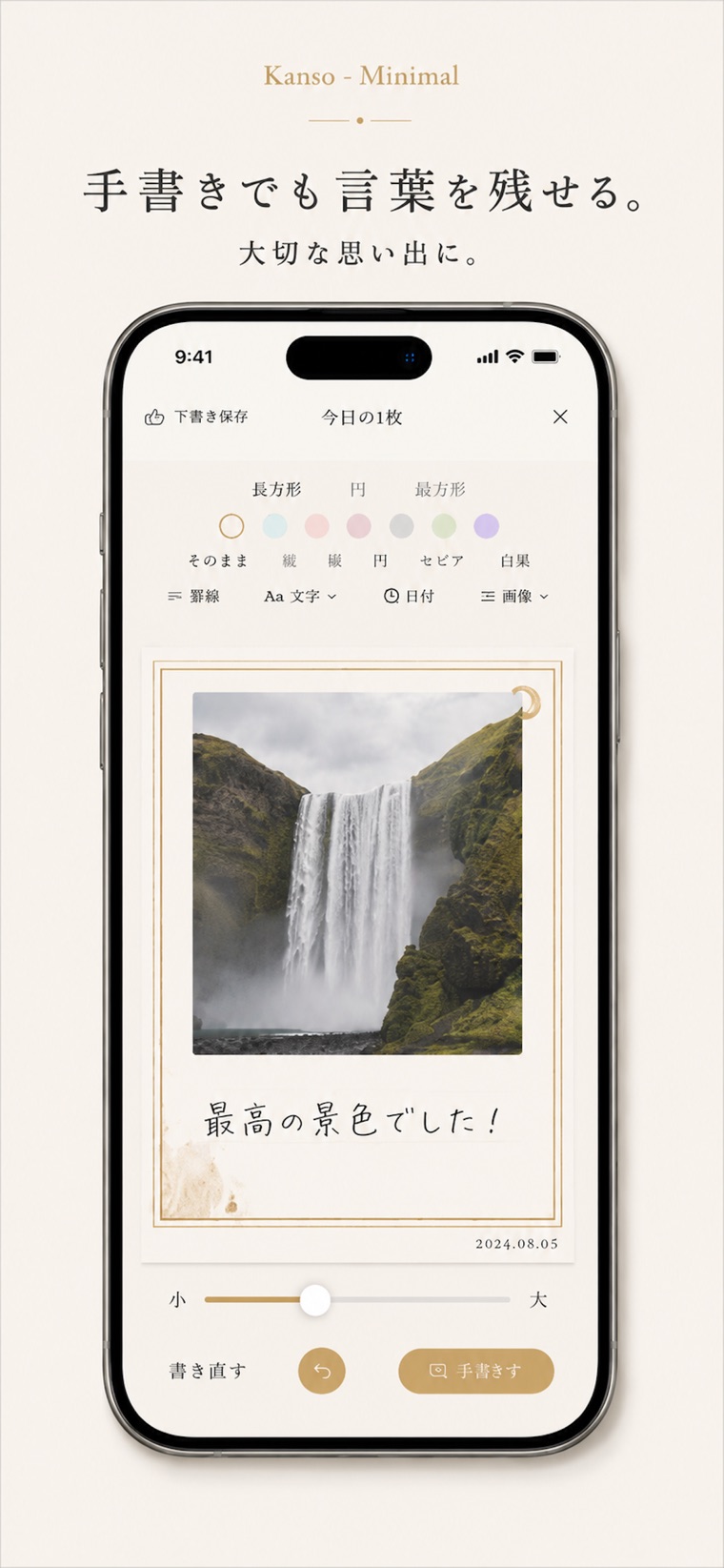
手書きでも、言葉を残せる。Leave words by hand.
万年筆・筆ペン・鉛筆の三つの筆。ゆっくり書けば太く、速く払えば細く掠れます。書体は5種、墨の色は墨・朱・藍・松・金の5色から。よく書く言葉はライブラリに残せます。Three pens: fountain pen, brush pen, and pencil. Write slowly and the line thickens; sweep quickly and it thins into dry-brush marks. Five typefaces, and five ink colors — sumi black, vermilion, indigo, pine, and gold. Words you write often can be kept in a library.
その場に筆を止めていると、じわりと墨が滲みます。Hold the pen still, and the ink slowly bleeds into the paper.
手放す前のBefore letting go
断捨離の準備も、簡単に。Preparing to let go is simple.
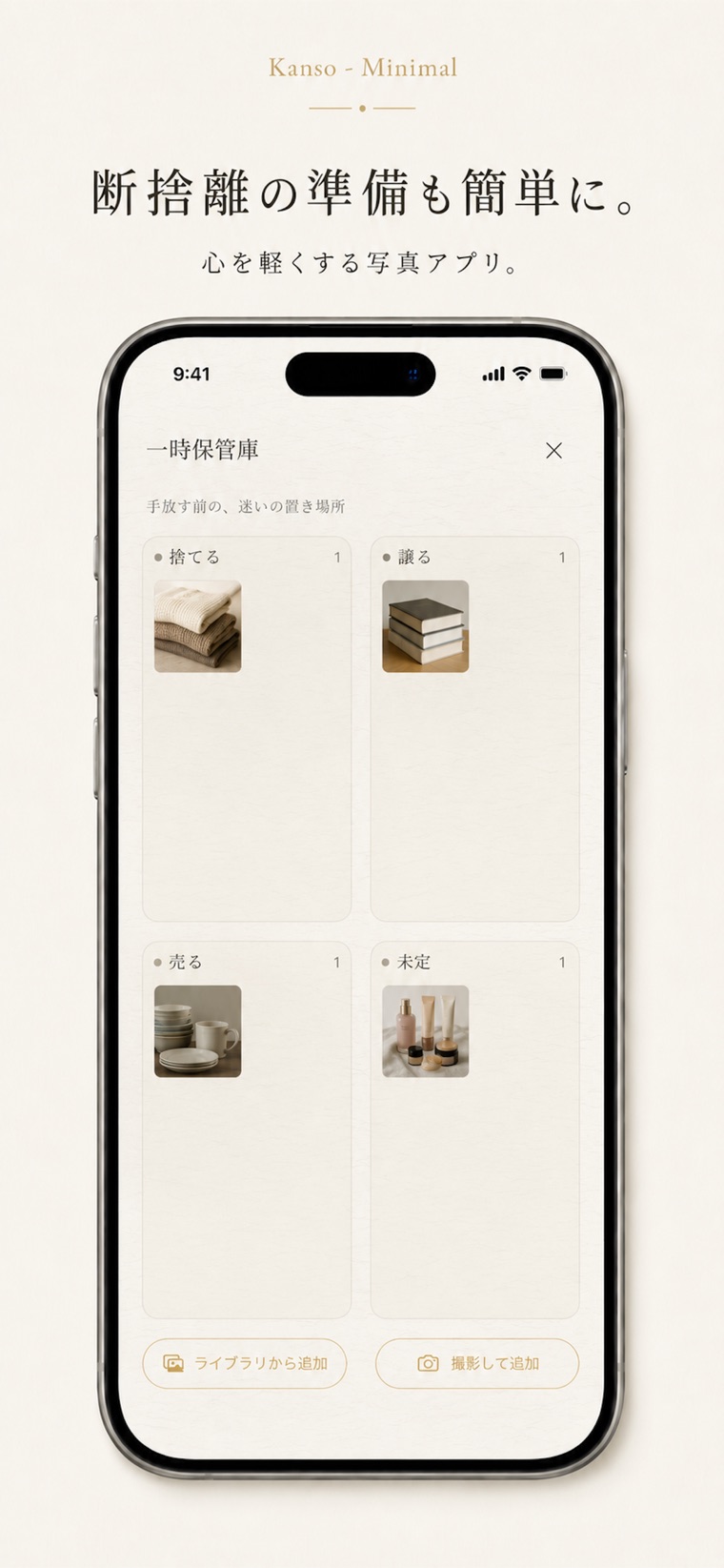
まだ手放せないものを置いておく一時保管庫。捨てる・譲る・売る・未定の四つの枠に分けて、長押しで運び直せます。迷いの置き場所があるだけで、部屋も心も軽くなります。A Holding Area for the things you can't part with yet. Sort them into four frames — Discard, Give Away, Sell, and Undecided — and press and hold to move one between them. Just having a place to set hesitation down lightens both the room and the mind.
買い切りの機能A one-time purchase
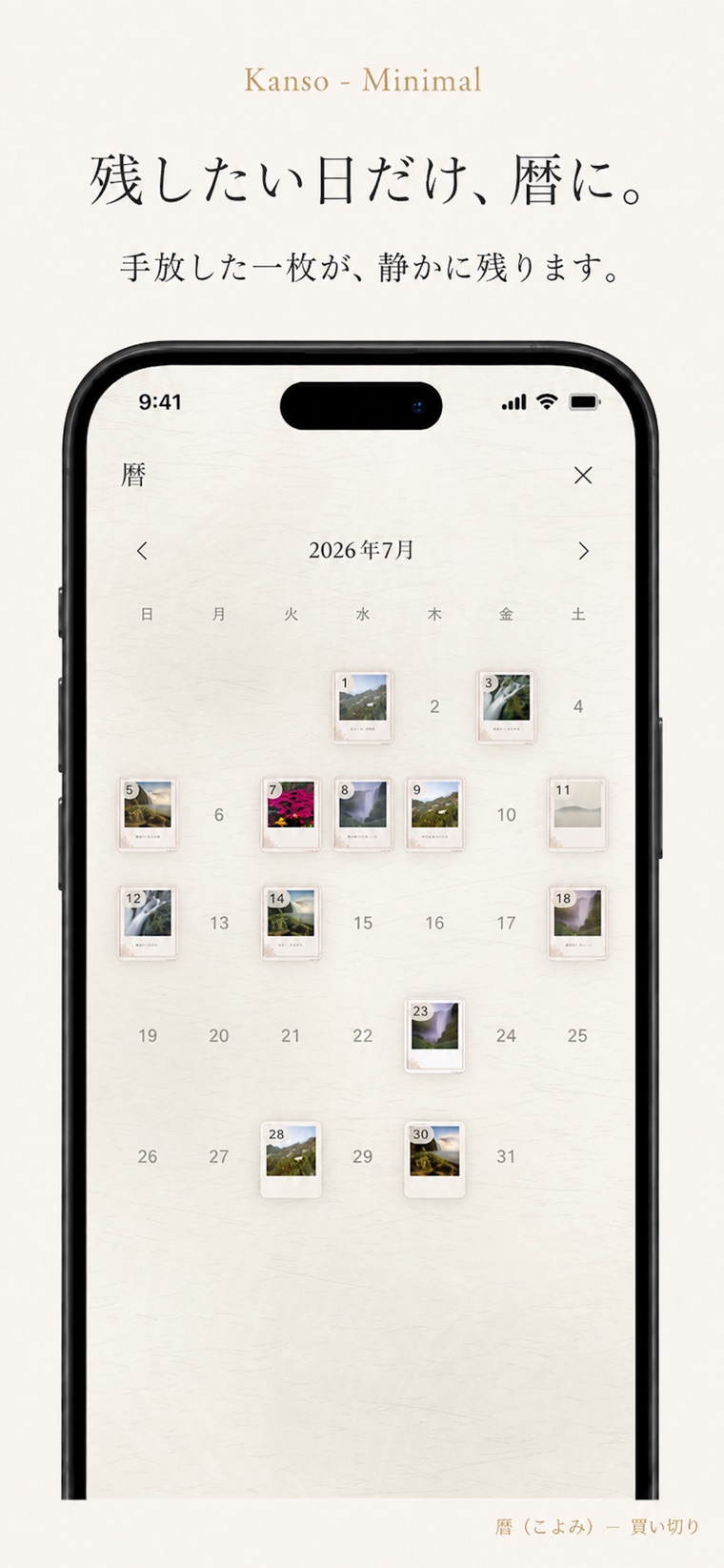
残したい日だけ、暦に。Keep only the days you want to remember.
暦(こよみ)を結ぶと、手放した一枚が端末の中の月の頁に静かに残ります。写真のない過去の日には、あとから絵日記として一枚を置くこともできます。Unlock the Calendar, and each card you let go stays quietly on that month's page, inside your device. For past days with no photo, you can place one later as an illustrated diary entry.
暦(こよみ)— 買い切り/端末の中にだけ残りますCalendar — one-time purchase / kept on your device only
この一枚をThis one card
手放す、という余白。Letting go leaves space.
和紙がふわりと浮き、傾きながら流れて消え、淡い花びらが散ります。小さな触覚とやわらかな鈴の音のあと、余白に金の円相が滲み出ます。The washi lifts, tilts, and drifts away as pale petals scatter. After a small haptic tap and the soft sound of a bell, a golden ensō bleeds into the space left behind.
安心のためにPeace of mind
写真は、端末の中だけに。Your photos stay on your device.
このアプリが扱う写真は、すべてあなたの端末の中にあります。外部のサーバーへ送ることはありません。アカウント登録も、広告もありません。Every photo this app touches stays on your device. Nothing is sent to an outside server. There is no account to create, and no ads.
端末の中だけOn your device
写真も暦の記録も、外に出ることはありません。Neither your photos nor your calendar ever leave it.
登録なしNo sign-up
アカウントもログインも必要ありません。No account and no login required.
広告なしNo ads
余白を邪魔するものは置いていません。Nothing here to disturb the empty space.
よくある質問Frequently asked questions
一日に何枚でも作れますか。Can I make more than one a day?
枚数の制限はありません。ただ、一枚と向き合うほうが心に残ります。There is no limit. Still, one card given your full attention tends to stay with you longer.
手放したカードは戻せますか。Can I get a card back after letting it go?
手放す前に残し方を選べます。暦を結んでいれば、手放した一枚は自動でその日のマス目に残ります。You choose how to keep it before you let go. With the Calendar unlocked, each card you let go is kept automatically in that day's square.
iPad や Apple Pencil にも対応していますか。Does it work with iPad and Apple Pencil?
はい。iPad では和紙の上に直接描けるキャンバスが使えます。横向きにすると、カードは横長の絵日記に組み替わります。Yes. On iPad there is a canvas that lets you draw directly on the washi. Turn the device sideways and the card becomes a wide illustrated diary.
くわしい使い方は 説明書 をご覧ください。For the details, see the User Guide.
Contact
お気軽にどうぞ。Get in touch.
ご質問・ご感想・不具合のご報告など、こちらからどうぞ。Questions, feedback, or bug reports — we’d love to hear from you.